Main content
How to stop your phone accessing 2G networks
Scam Interceptors' Nick Stapleton has been talking about 'smishing scams.' Some scammers are now using DIY phone masts to send scam text messages to victims. They use outdated 2G phone networks to do this. Here's how to stop a phone accessing 2G networks on an Apple iPhone:
Open the Settings app.
Tap Privacy & Security.
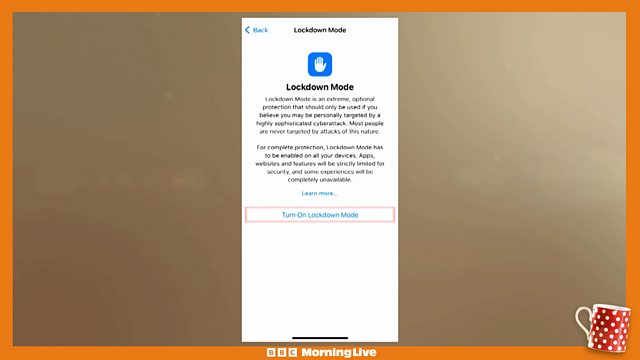
Scroll down, tap Lockdown Mode, then tap Turn On Lockdown Mode.
In Privacy & Security settings on iPhone, turn on Lockdown Mode.
Tap Turn On Lockdown Mode.
Tap Turn On & Restart, then enter your device passcode.
Duration:
This clip is from

More clips from Morning Live
![]()
Animal Park celebrates 25th anniversary
Duration: 02:43
![]()
Tackling travel sickness
Duration: 08:14
![]()
Hidden car hire fees
Duration: 06:38
![]()
Testing anti-sickness methods
Duration: 04:33