
To delete a download:
- Open the BBC iPlayer app and select who's watching
- Tap on 'Downloads' on the bottom menu. If using an iPad, this will be at the top.
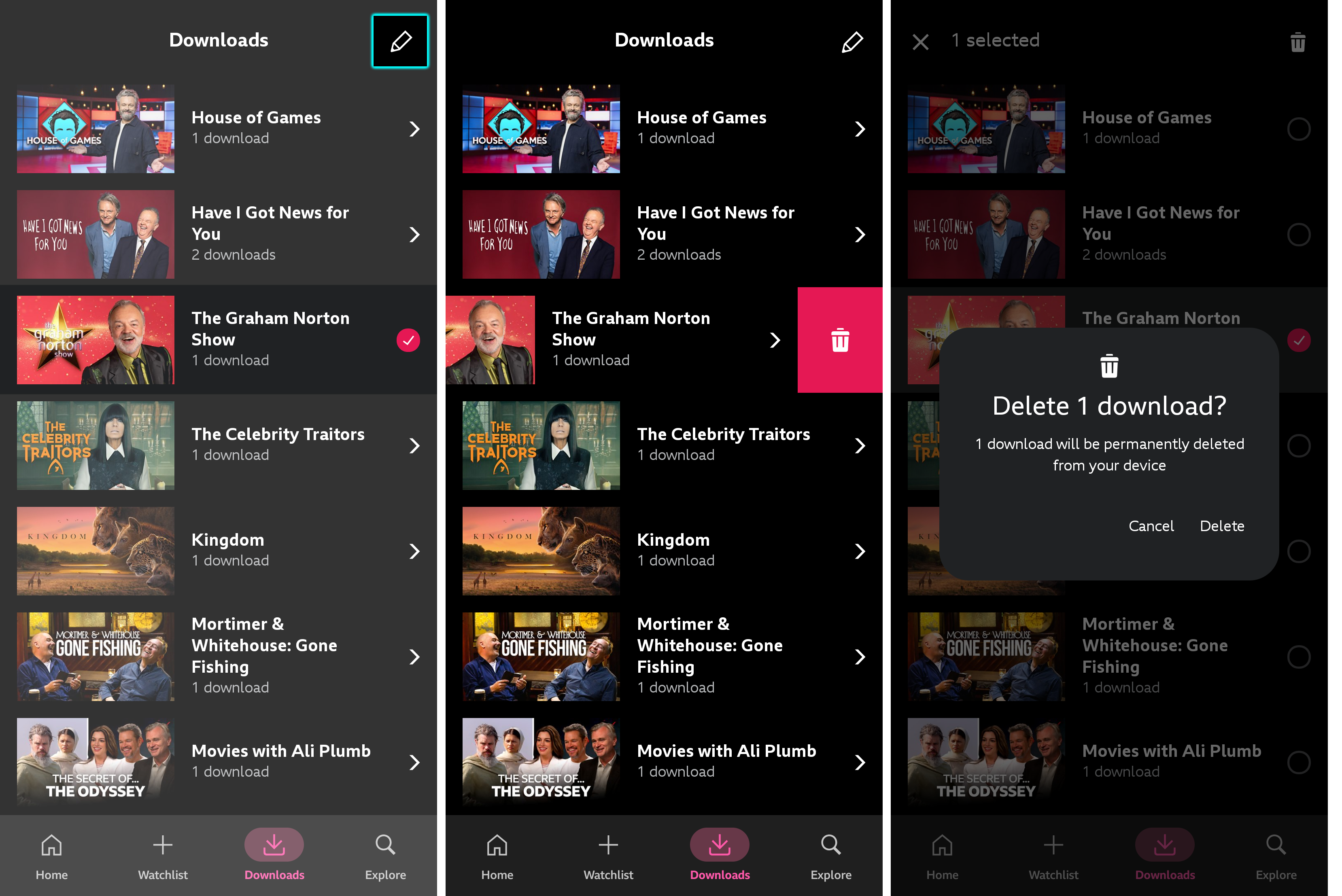
To delete a download, use the 'edit' button (pencil icon) at the top of the screen, or simply swipe left on the download you would like to remove.
If you'd like to remove all downloads in a series, you can delete multiple episodes on the main Downloads menu.
To delete individual episodes from a series, tap on the series and either tap the pencil icon and select the individual episodes you'd like to delete, or swipe left on the episode then tap on the bin icon.
To delete programmes from the queue:
- Open the BBC iPlayer app and select who's watching
- Tap Downloads
- Programmes that are currently downloading will have a circle with an 'x' in the middle. Tap this to cancel the download.
- Confirm that you would like to delete the download.
If you experience problems with BBC iPlayer, uninstall and reinstall the app. Please note that this will remove any downloaded programmes.
